
![Yet Another JOI Game [v1.4.5 Beta] [TeslaHors]](https://f95zone.to.it/wp-content/uploads/2025/02/4598886_IMG_0093.avif)
Yet Another JOI Game [v1.4.5 Beta] [TeslaHors]
Overview:
Yet Another JOI Game (YAJOIG) is your gateway to a customizable Jerk Off Instruction (JOI) experience like no other. Now you can craft your very own JOI session with ease! Featuring a rapid video player and innovative use of APIs, you enjoy unparalleled freedom to curate a vast library of your favorite media in seconds.
Haven’t found your preferred JOI material yet? No problem! Upload local files or simply enter a direct link to your video of choice, and you’re all set to start! YAJOIG also includes exciting in-game events to spice up your experience. Prefer a straightforward video binge? We’ve got that covered with our Porn Scroller Mode. Found something you really enjoy? With a single click, save all source links directly to your computer for later!
- Added Multiple screen support to goon wall mode (playlist options)
- Added Multiple Orgasm permanent modification
- Added “Move to bigger dildo” random event
- Added “Depth challenge” random event
- Added “Hold It In” random event
- Added “Rotate dildo” random event
- Added keyboard shortcut to toggle Auto-Skip (T)
- Added “0” keyboard shortcut to set the video timeline at the start
- Added float support to something (I really don’t know I haven’t made a log of this change but I remember that I have added float support to some input fields in playlist options panel)
- Added apply and reset buttons to goon wall multi-monitor section in playlist options panel
- Added pause menu in PMV play scene with resume/restart/exit buttons
- Added dildo events to endurance mode
- Added “Max Video Duration” before skip in Playlist Options Panel
- Added “Generate Thumbnails” toggle in favourites panel
- Added Edge/Cum Chance (%) setting to Wheel of JOI panel
- Added Display Mode selector to Wheel of JOI panel
- Added “Min Edges” input field
- Added Enable VFX dependency to Green light/Red light circle pulse trigger from destroy area
- Added expanded Video Loop Settings section in Playlist Options Panel with a dynamic rules list
- Added Min/Max loop count randomization per interval
- Added Moving Object Speed setting (Setting Scene)
- Added Master Volume value label display
- Added Dynamic Moving Object Speed mode (Setting Scene)
- Added “Punishment” random event
- Changed site list-view to maitain selected site btween scenes
- Changed Green light/Red light circle indicator with stroke indicators
- Changed hide HUD to also hide control buttons
- Changed redgifs implementation to fully support multi-word tags and niches
- Changed white pulse animation to be much softer
- Fixed left/right arrow changing video volume
- Fixed user not beeing able to click on the ends of video scrubber
- Fixed unintentionall automatic skips in good wall mode
- Fixed e621 api key not using User ID propely in requests
- Fixed PoT not triggering after the session end
- Fixed Wheel of JOI not working properly in Endurance Mode
- Fixed redgifs niches often capping at 100 returned medias
- Fixed Green light/Red Light mode getting stucked on green light
- Fixed white screen flash still triggering even when Enable VFX was turned off
- Post Orgasm tortures for sub-sessions now can be triggered without the need to set “Enable post orgasm torture” checkbox to true
- Various UI changes
- Various other smaller bug fixes and tweaks
- Added “Add Playlist Content” in add to fav panel
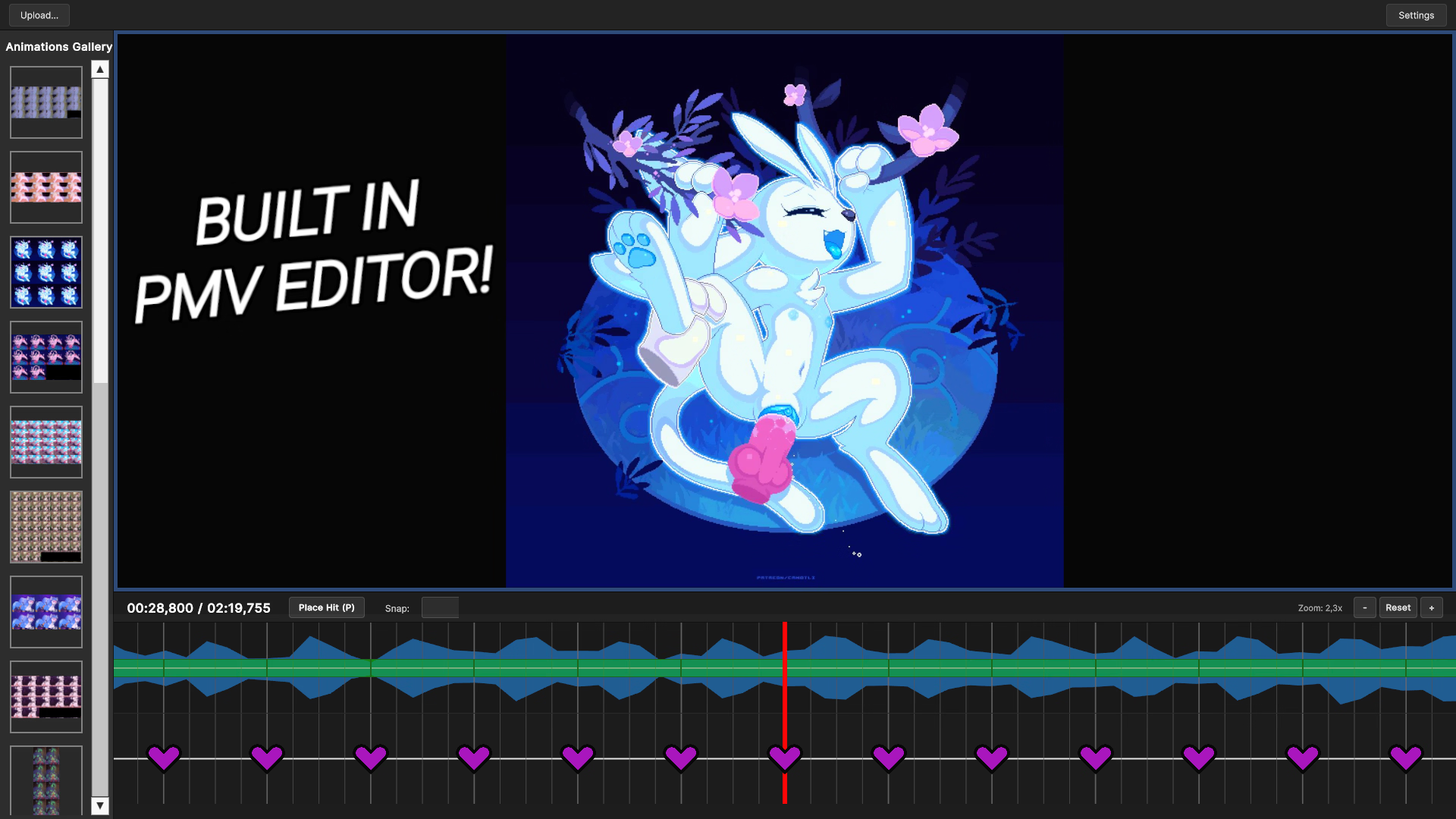
- Added labels to animation grid in PMV Editor
- Added graph labels for sigmoid panel
- Added loading skip timeout input field in playlist options – partially implemented
- Added auto-generate hitmarks in PMV editor
- Added multiple VFXs to JOI Mode and Endurance Mode
- Added Linux support for goon wall mode (needs to be checked in playlist panel options)
- Added balls play random event
- Added cock play random event
- Added shortcut to download currently displayed media (“L”)
- Added auto-update notification panel
- Added “Theater mode” to random events (previously Porn Scroller Mode)
- Added automatic session end to random events
- Added double left click -> adds to favourite logic
- Added right click -> skips forward current media
- Added tag blacklist in playlist settings
- Changed half beats bars to be more eye-friendly
- Changed waveform to have much more detail
- Changed project loading logic in PMV editor reducing loading times
- Changed “start mark” and “end mark” styles
- Changed the bounce animation in pmv play scene
- Changed reddit fetching logic to grab also reddit videos instead of redgifs posts only
- Changed goon wall mode grid cells to be resizeable
- Fixed The Handy support
- Fixed ctrl+z sometimes deleting every animation from timeline in PMV editor
- Fixed “Generate Grid” sometimes creating a grid with one frame too early in PMV Editor
- Fixed transitions bar not beeing updated when changing snap
- Fixed timeline moving to the start of the project after opening “menu” panel in PMV Editor
- Fixed waveform having an offset
- Fixed a bug where shift+left/right arrow caused to move the user on the main timeline while video player panel is active
- Fixed redgifs tags to accept “space” in input field
- Removed Porn Scroller Mode (Moved to be permanent modification in random events section)
- added animations to fav panel
- added “Escape” key logic to bring you back to the session settings
- added “P” shortcut to pause/resume media
- added animations to control buttons in session
- changed stroke animation
- changed “Edging” button to fire emoji
- changed “I’m close” to sweat emoji
- changed “links.txt” to “Save” label of the save button in “save links to txt” panel
- changed the tags input field to keep the prompt even when returning to session settings
- changed so now when user leaves the tags area with a cursor they get disabled
- changed hit timing to follow the song clock so stutters don’t throw things off
- changed marker movement in PMV mode to glide based on schedule instead of frame updates
- fixed wheel of joi not spinning properly
- fixed redgifs fetching implementation
- fixed coomer/kemono implementation
- fixed a bug that let users interact with non-panel UI while the pace settings, custom instructions, or controls panels were open
- Added scrubber snapping to start/end mark in video player
- Added “rotate” support for compatible toys
- Added borders for effect marks
- Added ToS and ToS panel
- Added input field to set Post-edge break duration
- Added Tutorial button in PMV Editor
- Changed zoom effect Y coordinate to be bottom-top instead of top-bottom (0 – bottom, 1 – top)
- Changed effect configuration panel UI
- Changed color picker in effect configuration panel
- Changed Wheel of JOI keyboard shortcut to “Enter”
- Changed shuffling algorithm (once again)
- Changed Wheel of JOI Set Pace/Scale Pace duration to match random interval duration
- Changed Load txt with links button to allow for selecting multiple files
- Fixed keyboard shortcut for skipping media not working for images
- Fixed fav media not beeing added in order of a selected sorting type
- Fixed Motion After-Image showing upside-down frames at effect start
- Fixed Bg blur effect not working while transition is active
- Fixed zoom effect not beeing disabled while picking center
- Fixed image dynamic background beeing upside down
- Fixed Wheel of JOI button sometimes beeing uninteractable
- Fixed video seekbar sometimes progressing while random video start is active and video is still buffering
- Fixed video duration label not getting updated in goon wall mode after changing content in a grid cell when it was deselected
- Fixed UI scaling for aspect ratios other than 16:9
- Fixed Tag suggestions sometimes not showing post count
- Fixed a bug wich allowed user to “Edge” while “I’m close” button is active by pressing “E” on keyboard
- Removed “Space” keyboard shortcut to skip videos
- Nerfed Set Pace in Wheel of JOI in endurance mode to range between +- 3 of current pace
- Added feature to save links with authors for booru sites (press ctrl + l, not working for TBIB)
- Added “select everything” button in fav panel
- Added “select everything” button to coomer/kemono panel
- Added dynamic background for videos
- Added dynamic background for videos in goon wall
- Added toggles to turn on/off dynamic background for images/vidos in settings
- Added “random video end” to random events
- Added “wheel of JOI” to random events (press “space” to spin)
- Added API key panel for rule34.xxx
- Added ability to deselect grid cells in goon wall mode
- Added automatic deselection of a grid cell in goon wall mode after 8 seconds
- Added “space” keyboard shortcut to trigger “I’m close” button
- Added accelerated behaviour to the timeline movement in PMV editor (hold left/right arrow)
- Added keyboard shortcut to place animations (F)
- Added playback speed modify listview
- Added effects to PMV editor
- Added transitions to PMV editor
- Added Shift + left/right arrow shortcut – on the main timeline now snaps to the nearest hit mark
- Added “Compare frames” toggle in video player panel in PMV editor wich shows start/end time mark frames
- Added timeline labels
- Fixed styles beeing not applied to video player preview panel in PMV editor
- Fixed spritesheet thumbnails in animations gallery to show first frame instead of whole spritesheet
- Fixed hitmarks flickering (partially. only on higher zoom levels for now)
- Fixed a bug when skipping media with ui buttons while no grid cell is selected breaks the goon wall
- Fixed video seekbar not getting updated when media is changing in goon wall mode
- Changed timeline dragging to stop only after releasing mouse button
- Changed animation placement to prioritize nearest hit mark instead of bar
- Changed zooming in/out behaviour to cause less movement of indicator bar (red bar)
- Changed hitmarks LOD to be active only at zoom levels less than 2
- Changed waveform to show more detail at high zoom levels and be more “spikey” overall
- Changed animation placing behaviour to prioritize beat bar backwards
- Changed “shuffle playlist” logic to re-distribute array content more evenly
- Changed start/end marks in video player to be locally bounded to the video
- Changed video player panel to close after grid creation process
- added support for “.” instead “,” in input fields (both signs are allowed)
- added custom instructions (WIP)
- Added new action to custom instructions “setMediaPlayer”
- fixed random events interval input field resetting on returning to session settings
- Added dynamic background for images
- Added slight ambient animation for images
- Added dynamic background for images in goon wall
- Added image preloading logic
- Multiple backend optimizations
- added sorting syntax for reddit: {subreddit} sort:hot
{subreddit} sort:new
{subreddit} sort:top
also available timespan syntax {subreddit}:{sorting type}:{week/month/year/all}
- added stroke volume slider
- added goon wall to PS mode
- added Grid borders in goon wall
- added option to customize video looping (playlist options)
- added sorting options in fav gallery panel
- added buttplug io support in joi studio
- added custom instructions (WIP – beta version)
- added support for ” . ” instead ” , ” in input fields (both signs are now allowed)
- updated PS mode settings menu
- made image quality significantly better in goon wall
- there should be now less probability of the same media beeing randomly picked at the same time in goon wall
- tweaked stroke pace calculation to allow less aggressive ramp up (JOI Mode only)
- fixed pace exceeding limit
- fixed “select all” button in fav gallery to function properly with page changes
- fixed reseting values in multiple input fields upon returning back to session settings
- fixed thumbnail generation in fav panel
- fixed “image duration” input field not beeing able to be selected sometimes
- fixed bad font display in playlist options menu in endurance mode settings scene
- fixed short videos and gifs getting stucked
- fixed random events interval input field resetting on returning to session settings
- Added goon wall mode (can display several media at once)
- Added “Playlist settings” button (shuffle playlist, deleta videos/images)
- Added “Controls” button (list of all controls)
- Changed spawn interval calculation to use sigmoid function
- Changed seconds/stroke to strokes/second
- Added keyboard shortcut to skip all current media in goon wall mode (Shift+A/D)
- Added “Stroke Pace” button – allows to set how quickly pace will rise up
- Added Green Light/Red Light random event
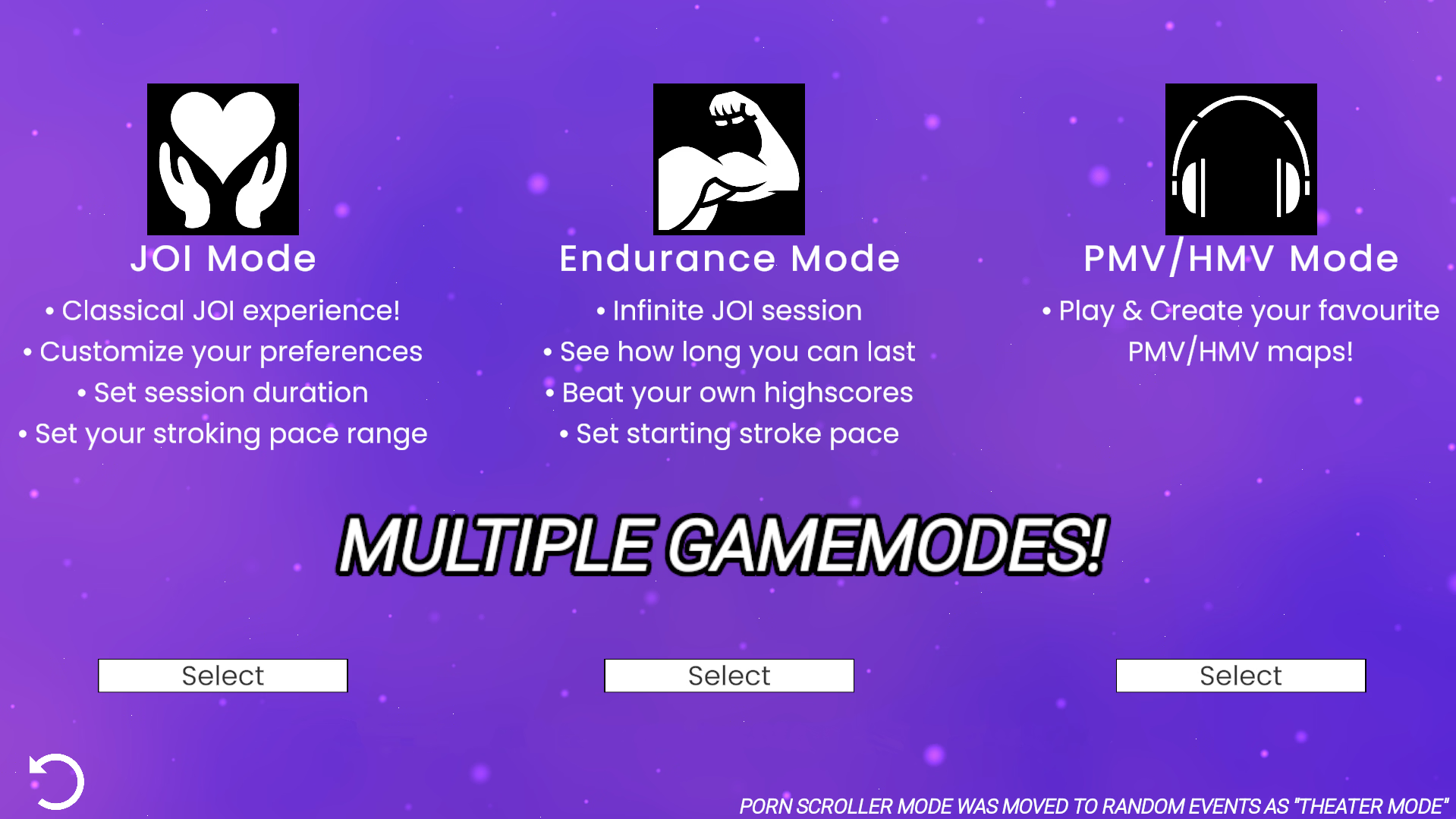
- added PMV/HMV mode
- added ability to upload videos in PMV Editor to make grids inside YAJOIG
- When uploading a grid in a naming format: {name}_{nr. of rows}_{nr. of cols}_{nr of frames}
Input fields are filled automatically - added end screen for PMV maps
- added support for buttplug.io for pmv maps
- added undo/redo (ctrl + z/ ctrl + y) logic for hitmarks and animation marks in pmv editor
- added copy and paste logic for hitmarks in pmv editor (ctrl + hold mouse for group select)
- animation marks can be streched horizontally to adjust their length (drag on ends of animation marks)
- added waveform in pmv editor
- added loading information for pmv maps
- deleted automatic saving in settings panel
- added save button in settings panel
- added “Cum countdown” in random events
- added “Favourites only on session finale” in random events
- added reddit support
- added keyboard shortcut to skip to next media (D)
- added keyboard shortcut to skip to previous media (A)
- added redgifs support
- fixed bug with double stroke speed and half stroke speed switching each other
- added “include local files” toggle to presets
- added “play previous media” button
- added favourite gallery system
- added creator suggestions for kemono (can be laggy at first loading)
- kemono.su support is now public on f95
- buttplug.io support is now public on f95
- added ability to manually add fav media (by uploading/typing link/uploading txt file)
- pressing keys 1-9 on keyboard skips to the respective percentage of video
- added breath play to random events
- added ability to change titles of fav media
- local videos now have a proper thumbnail
- removed ” connection slow… Retrying” mechanic as it was bugged
- added kemono.su and coomer.su support (only for patreons until fully finished)
- added an option to load custom sounds
- added teasing strokes to random events
- added slow motion to random events
- random events are now in scrollable panel
- added TBIB (The Big ImageBoard) support (no tag suggestion)
- added Stroke styles in events section
- added Dominant hand stroke style
- added Nondominant hand stroke style
- added Shaft only stroke style
- added Head only stroke style
- added Gentle grip stroke style
- added Firm grip stroke style
- added depth factor to toys with linear motion
- removed “clear previous” and “shuffle playlist” toggles
- added “shuffle playlist” button (dice icon)
- added “clear playlist” button (trash button)
- implemented different algorithm for playlist shuffling
- added image loading percentage
rar file is called v1.3.0.1 by a mistake!
- fixed random event checkboxes not displaying correctly if they are checked after returning to session settings
- fixed post edge pause timer to play animations correctly
- made rising stroke pace transition smoother between intervals
- fixed video player resetting volume every video change
- temp videos (gif converted to mp4) are now ignored when loading game from preset
- added presets system
- changed “videos” to “media” text in Media Section
- compltetly rewritten buttplug.io support for the handy/solace (it’s working but available for patrons)
- added an ability to select entire folders with videos instead of selecting one by one
- added image support
- “webm” tag is no longer automatically added
- added tag suggestions
- completly revamped ui
- background is now handled by shader (more customizability in the future)
- changed “Main menu” button to “counter clockwise” icon
- changed “skip” button to “fast forward” icon
- grouped everything into panels
- UI animations are now smoother
- changed font almost everywhere
- added loading image indicators
- added settings menu
- added option to change resolution
- added option to toggle fullscreen
- added option to set master (global) volume
- added option to change Hit/Stroke Sound (planning to make an option to upload your own sound in the future)
- added “Finger Snap” sound
- added “Metronome” sound
- added option to turn off stroke sound (“None” sound)
- “random stroke speed” random event got renamed to “random strokes”
- added “random stroke speed” to random events (randomly selects stroke speed every time)
- added few UI animations
- added scene transition animation
- added UI SFX
- reworked backend on buttplug.io support for vibrating toys
- added text displaying connected devices
- added endurance mode
- added leaderboard
- added new mode selection panel
- text indicating current game mode now slides in and out instead of occupying space in top right corner
- game duration and stroke speed input forms are now prefilled
- added discord button
- even more minor UI tweaks
- if there is no animated tag (webm/animated/gif…) in tag input field, it will be automatically added
- some minor UI tweaks
- “A” – skip to previous media
- “D” – skip to next media
- “Left arrow” – rewind video by 5 seconds
- “Right arrow” – forward video by 5 seconds
- “Up arrow” – turn up the volume by 10%
- “Down arrow” – lower volume by 10%
- “H” – toggle controls
- “F” – add current media to favourites
- “[” – set loop start
- “]” – set loop end
- “” – toggle loop
- “C” – clear loop
- “E” – edge
- “Spacebar” – play/stop timeline
- “P” – place hitmark
- “Left arrow” – go back by 1 bar
- “Right arrow” – go forward by 1 bar
- “Right click” – delete hitmark/animation mark
- “Left click” – select mark
- “Ctrl + left click” – select multiple marks
- “Ctrl + left click press” – group select
- “Group select + del” – delete selected marks
- When playing video to make grid: “Shift + left/right arrow” – move by one frame
- “Esc” – leave map
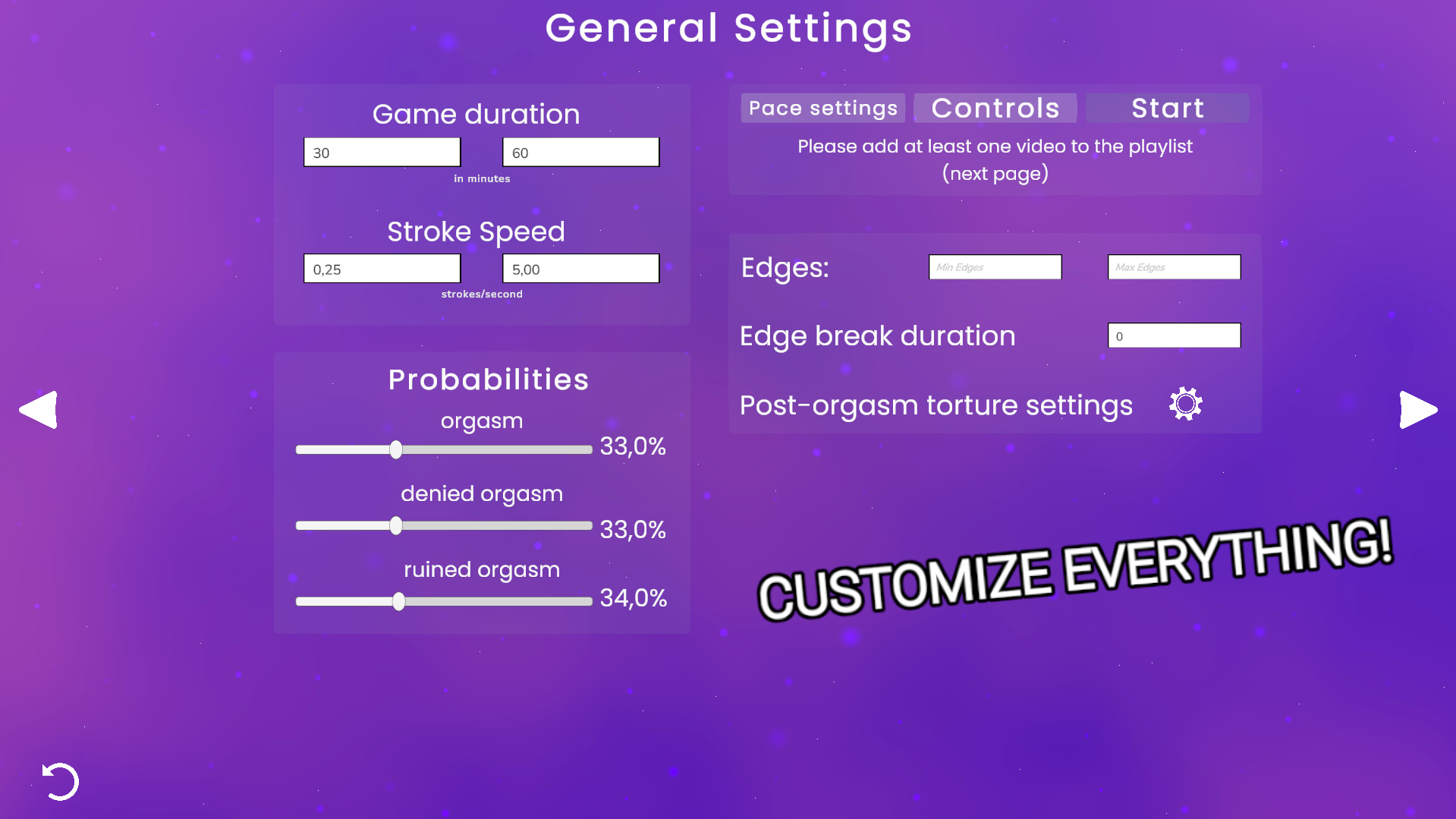
- So Game Duration is pretty straight forward, these inputs determine how long the game will take. Game picks random value between min and max inputs to decide how long the game will last. If you want to set game duration to be exactly for example 10 minutes, just type in 10 in both fields
- These fields determine stroke speed, the values are in strokes/second, min value is at what speed the game will start and max is the final speed. However in main game (where joi session takes place) current pace is expressed in seconds/stroke. Values are the same, it’s just the notation that is different
- Well these sliders decides how the game will end
- Here you can type how many edges are required to finish the session. Probability of forced edge increases over time, but keep in mind that, if you haven’t edged required amount of times, before finishing session you will have to edge remaining amount of times back to back
- Here you can determine how long the post orgasm torture will take. After having an orgasm you’ll just have to stroke for a little bit longer. The POT will trigger only if you get an orgasm as a session finale
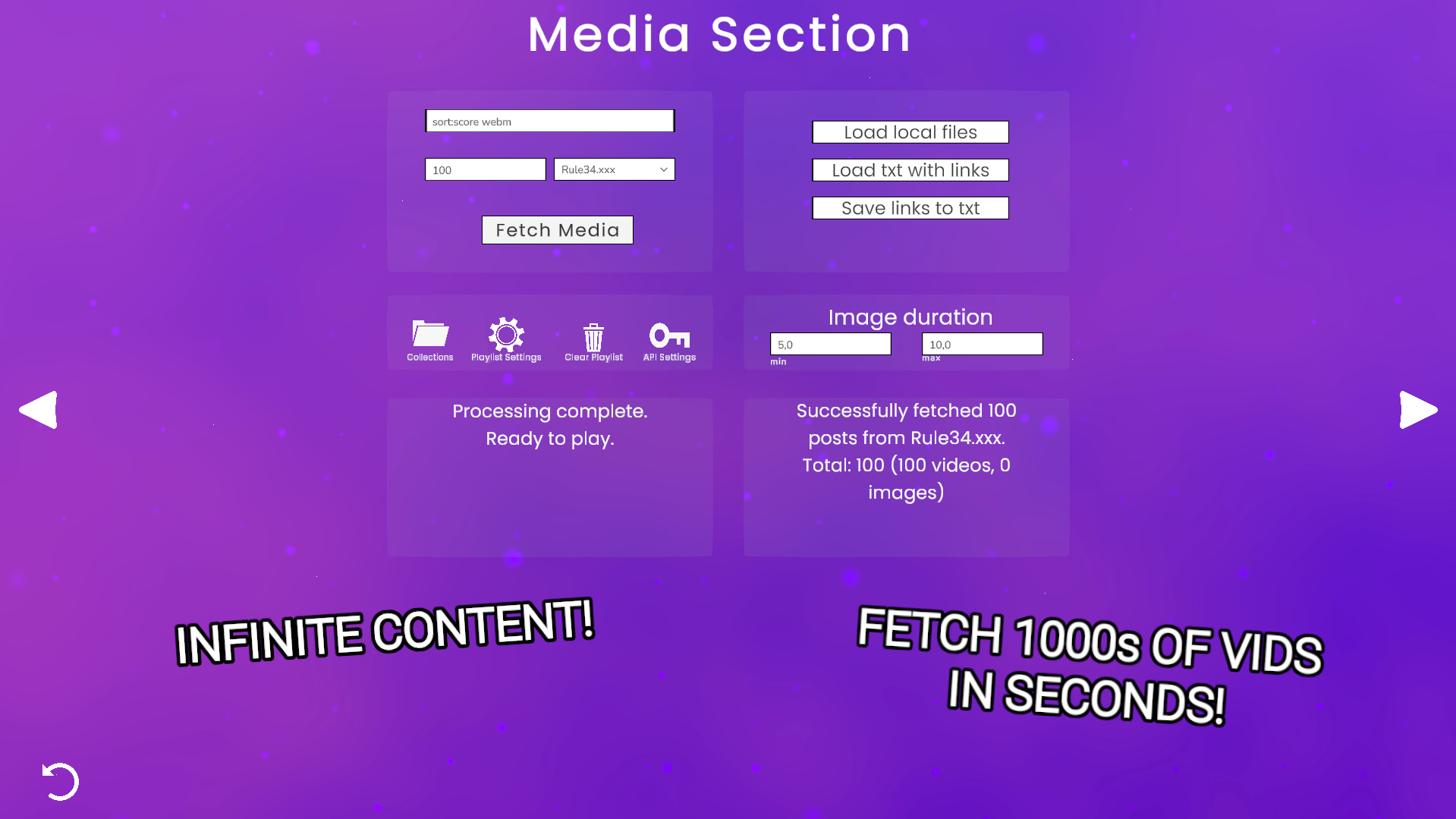
- Enter amount – here you can type how many posts you want to fetch from a website
- Enter tags – type tags here, they may differ depending on the website you’ve picked. So if you don’t know tags, just visit a website you’ll be fetching from and explore tags there
- Shuffle playlist – if checked, it randomizes playlist order
- Remove previous – if checked it clears, playlist before loading new videos
- website list – decides from wich website the post will be fetched
- Load local files – load files from your pc (only videos are allowed)
- Load txt with links – loads media from txt file (all links have to directly point to medoa and be seperated by line break [should end with .mp4/.webm/.jpg etc.] example below:
https://site.com/.../vid1.mp4
https://site.com/.../vid2.mov
https://site.com/.../vid3.webm
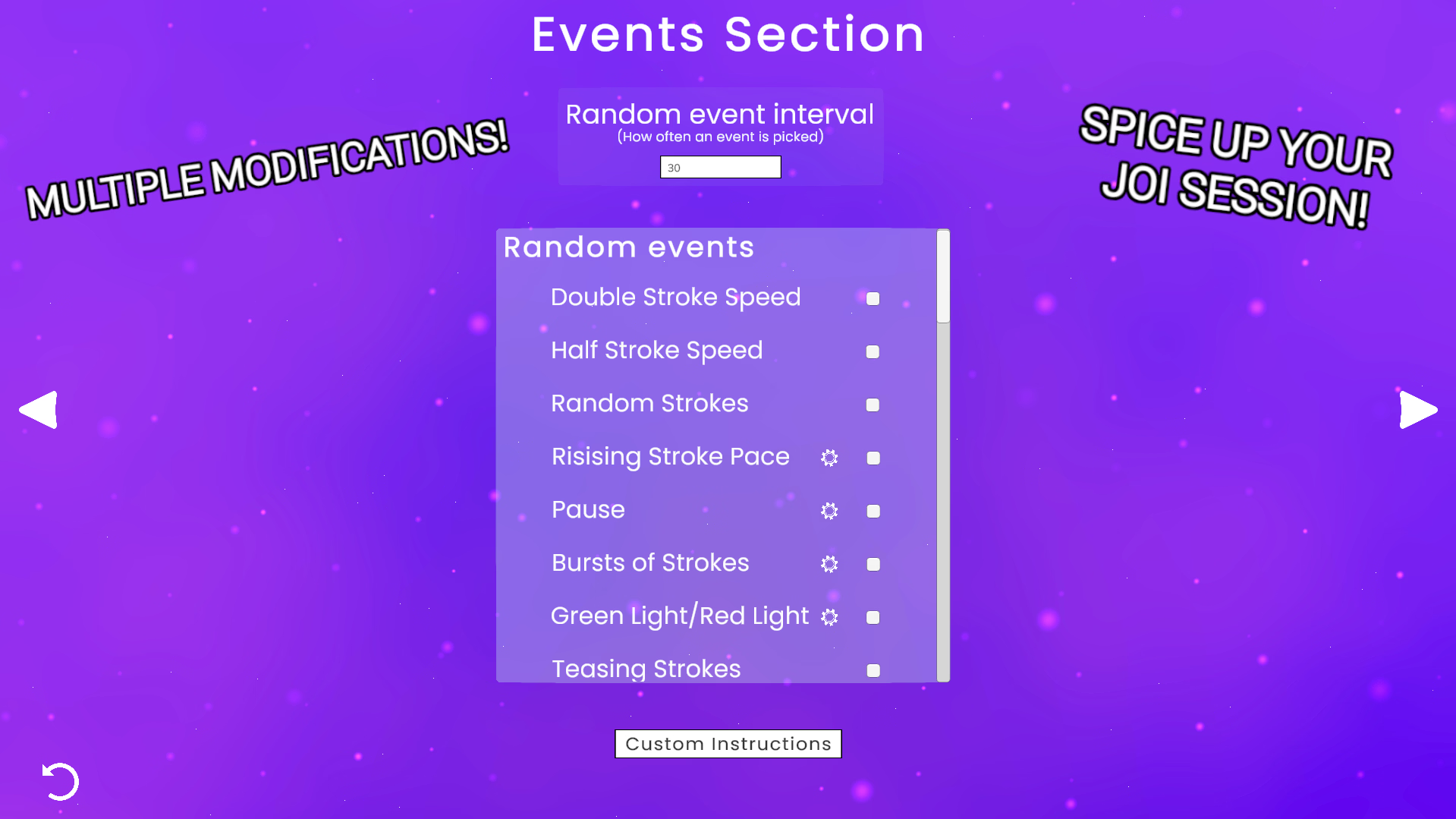
- Random event interval – determines how often random event will be picked (in seconds)
- Double Stroke Speed – doubles your stroke speed for random time interval
- Half Stroke Speed – halves your stroke speed for random time interval
- Random Strokes – randomly spawns stroke indicators for random time interval
- Rising Stroke Pace – start from min stroke speed and then rise to different stroke speed for a random time interval
- Pause – take a break for random time interval
- Bursts of Strokes – Stroke fast in quick intervals
- Random Stroke Speed – randomly selects random pace every time
- Type in initface web server adress and click connect button. You can also set vibration intensity value